Yes, an Android app in Syria can autofill a WhatsApp OTP with a single tap. With Talkalize - توكالايز you send verification codes over WhatsApp to Syrian numbers from $0.0102 per message, and our team helps you get a Meta authentication template with an autofill button that opens your app and drops the code into place. iPhone users and websites see a copy-code button instead, so every app needs a plan for both.
This is not a from-scratch OTP integration guide. It answers the question app owners ask after launch: why are users still typing the code by hand when WhatsApp could fill it in for them? Below: the three delivery styles, what your developer needs for the autofill button to appear, why some users still get the copy button, and examples from four Syrian sectors. If you are looking for the service itself, start with our WhatsApp OTP service for Android and iPhone apps.
What decides how a WhatsApp code reaches your users
- Syria is an Android market: StatCounter puts Android at 94.15% of mobile devices in Syria in October 2026, with iOS at 5.84%. The autofill button is therefore relevant to almost everyone who opens your app.
- One-tap autofill is for native Android apps: Meta states that recipients on other devices automatically see a copy-code button.
- The button does not change the price: every variant is an authentication message, priced to Syrian numbers at $0.0102–$0.0109 depending on monthly volume.
- The wording is fixed: authentication templates use preset text from Meta, with no links, images or emojis. You choose the button, an optional security line and the expiry notice.
- Codes have a short shelf life: an authentication message that is not delivered within 10 minutes by default is dropped, and you can set that window anywhere from 30 seconds to 15 minutes.
- Official route: Talkalize is a Meta-verified Tech Provider and sends every code through the official WhatsApp Business API.
Copy code, one tap or zero tap: the three delivery styles
Copy-code button
The code arrives in a WhatsApp message with a "Copy code" button. The user taps it, switches back to your app and pastes. It works on every phone and on websites, and it is what WhatsApp falls back to whenever a faster style cannot be used. It is simple, but it makes people jump between two apps, and a busy WhatsApp inbox makes that jump easy to fumble.
One-tap autofill
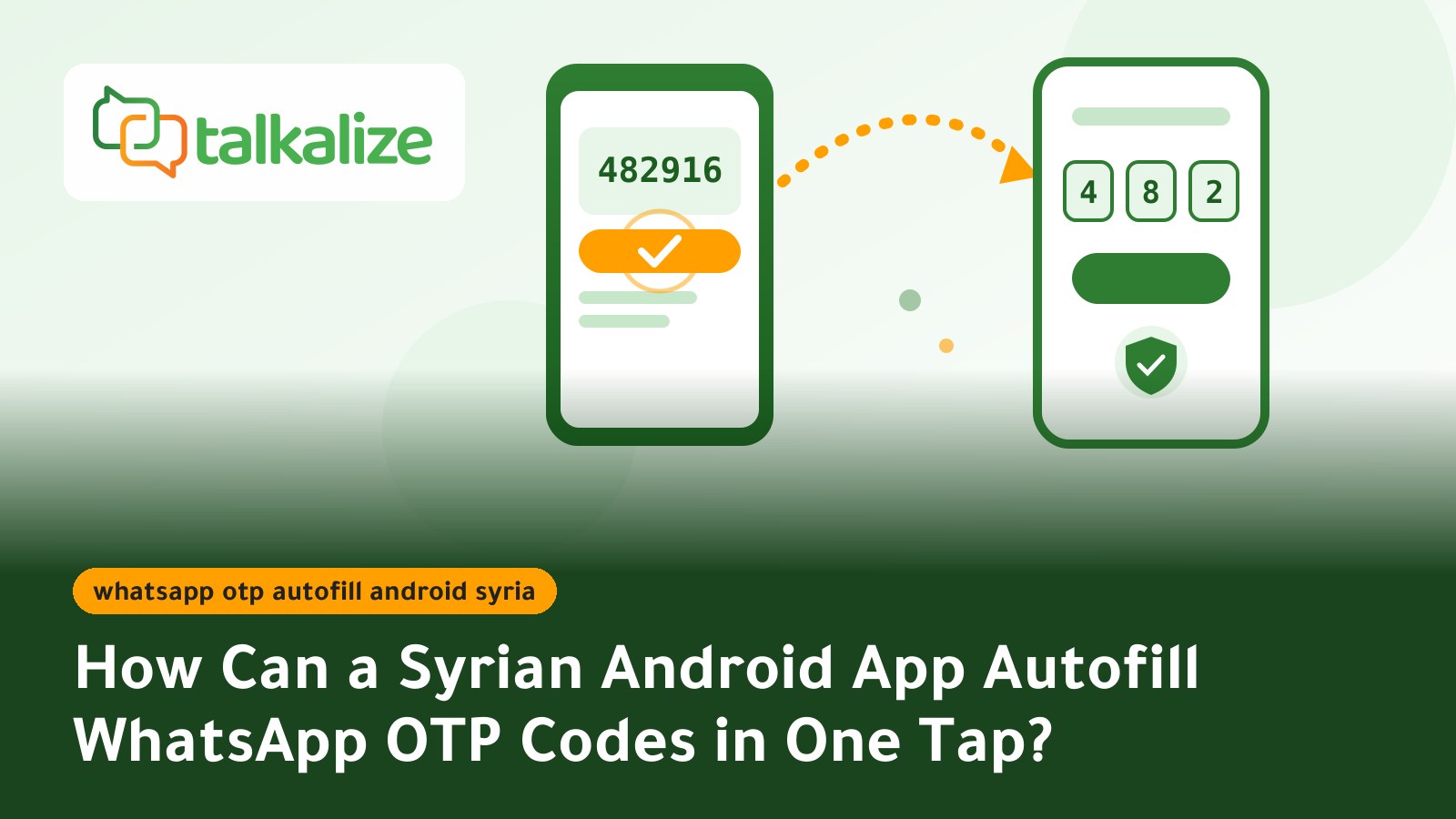
The message carries an "Autofill" button. Tapping it opens your app and places the code in the input field, with no copying or pasting. It needs a small amount of preparation inside your Android app and a template tied to your app's identity. For most Syrian apps this is the practical upgrade, simply because most of their users are on Android.
Zero tap
Also Android only, this style lets your app pick up the code in the background without the user opening WhatsApp. Meta requires you to tell users in advance that choosing WhatsApp means the code is filled in automatically, and not to make WhatsApp the default without that notice. Talkalize's pages currently describe copy-code and one-tap templates, so if you want zero tap, check with our support team before building around it.
And the iPhone? According to Meta, iOS 26 and later show the code as a keyboard suggestion taken from the WhatsApp notification, with no extra work on your side. Older iOS versions stay on the copy button.
Why autofill matters more in Syria than in most markets
When nearly every phone runs Android, any improvement to the Android code screen reaches almost your whole user base. StatCounter also shows that Android versions in Syria are spread across many generations: Android 16 at 22.62%, 15 at 16.63%, 14 at 15.98% and 13 at 12.55%, with a visible share on older releases. Your developer should test on a new handset and an old one, not only on the office phone.
The second reason is the clock. A code is valid for a few minutes, and every second spent finding the chat, copying the code and coming back brings the user closer to expiry and to tapping "resend". Each resend is another paid message. A one-tap fill turns that journey into a single press, which cuts duplicate codes and the number of people who abandon sign-up halfway.
What each code costs (last verified: 23 November 2026)
| Item | Price | Note |
|---|---|---|
| OTP to a Syrian number (up to 100 a month) | $0.0109 | Pay as you go from your wallet |
| At 1,000 a month | $0.0106 | Same price for copy code and autofill |
| At 10,000 a month | $0.0104 | Price drops with volume |
| At 100,000 a month | $0.0102 | Lowest published Syria rate |
| Syria bundle | $12 for 1,000 OTP messages | No expiry |
| Trial | Free for 7 days | Test your template before launch |
Prices come from Talkalize's live pricing pages, and the calculator on the homepage is the final reference. A quick example: an app sending 1,000 codes a month pays about $10.60 on pay as you go. The real difference on the bill does not come from the button style but from how many duplicate codes users request when they are slow to enter the first one.
Setting up one-tap autofill for an Android app
- Choose where you ask for a code: sign-up, login from a new device, or confirming a sensitive action. Do not send a code every time the app opens.
- Collect your app's identity: the template needs your app's Google Play package name and the fingerprint of the key that signs the published build. One template can be tied to up to five apps, for example a customer app and a driver app.
- Request the template through Talkalize: we help you submit a Meta authentication template with an autofill button and a copy button as the automatic fallback, and you pick the expiry shown to users, from 1 to 90 minutes.
- Prepare the app to receive the code: just before requesting a code, the app tells WhatsApp it is waiting for one, a step Meta calls the "handshake". Meta recommends Google's OTP library for Android, because the older method was scheduled for retirement on 15 October 2026.
- Connect your server to Talkalize: your server creates the code, sends it to Talkalize in one request and verifies it when it comes back from the app. Verification always stays on the server, and the sending key never lives inside the app.
- Test the awkward cases: the store build rather than the debug build, an older Android phone, a WhatsApp number that differs from the SIM, an iPhone, and a code requested more than ten minutes after the screen opened.
- Launch and watch: track completed codes and how many users got the copy button instead of autofill, as described in the last section.
Why some Android users still see a copy button
Before WhatsApp shows the autofill button it runs several checks, and if any one fails it quietly swaps in the copy button. These are the usual culprits:
- Signing fingerprint mismatch: if Google Play re-signs your app with a different key from your development build, the button works in testing and disappears for real users. Use the fingerprint of the published build.
- Stale or missing handshake: it must be recent, within 10 minutes or within the expiry you set. A user who leaves the code screen and comes back a quarter of an hour later gets the copy button.
- WhatsApp on another number: if the user's WhatsApp is registered to a different number from the one typed into your app, the message never arrives at all. This is common among people with two SIM cards.
- Not an Android phone: iPhone users see the copy button, or the keyboard suggestion on iOS 26.
Remember that the expiry shown in the message is only text. If it says the code is valid for five minutes, your server has to reject it after five minutes.
Examples from Syrian apps
Taxi and ride-hailing apps
A rider installs the app on the pavement and wants a car now. One-tap autofill makes sign-up a single step after typing the number. A separate driver app can share the same template, since a template accepts more than one app.
Supermarket loyalty apps
The shopper registers at the till with a queue behind them. A short line on screen before sending helps:
We'll send your verification code on WhatsApp. Tap "Autofill" and the code will be entered in the app for you.
It sets expectations before the jump to WhatsApp and back.
Car rental offices
The code confirms the renter's number before booking and before the keys are handed over. Some customers are visiting expatriates on iPhones, and the copy button serves them with no extra setup. Pricing follows the country of the number, not the phone model, so a Syrian number costs the Syrian rate on either platform.
Property listing apps
Landlords confirm their number before a rental or sale listing goes live. If most of them post from the Android app, autofill shortens publishing; those posting from the website on a laptop get the copy button and paste the code.
When the copy button is enough on its own
Autofill adds nothing if your service is a website with no Android app, or if your team cannot ship an app update right now. In those cases start with the copy button, which works immediately with no change inside the app, and add autofill in your next release. If many of your users do not use WhatsApp at all, email or SMS may be the better fallback, as we compared in email OTP vs WhatsApp OTP for Syrian apps.
How to tell autofill is actually working
- Time to enter: compare the gap between sending and entering the code before and after the change.
- Duplicate requests: watch how many users ask for a second code within two minutes.
- Fallback share: if most Android users still type the code by hand, the fingerprint or handshake is usually the cause.
- "I didn't request a code" taps: Meta sends an alert when a user taps this option. A rise can mean someone is testing other people's numbers, so tighten request limits per number.
For framework-specific detail, see the WhatsApp OTP guide for Flutter apps in Syria. For account recovery, read WhatsApp OTP for password reset, and if you are moving away from text messages, read the SMS alternative for verification in Syria.
Get started with Talkalize - توكالايز
Try Talkalize - توكالايز free for 7 days, and we will help you submit an authentication template with both the autofill and copy buttons. Start with the Syria WhatsApp OTP bundle: 1,000 messages for $12, or compare every market on our WhatsApp OTP service page.
Frequently Asked Questions
Does an autofill code cost more than a copy-code message?
No. Both are authentication messages. With Talkalize - توكالايز a code to a Syrian number costs $0.0102–$0.0109 depending on monthly volume, or $12 per 1,000 messages in the Syria bundle.
Why does the autofill button work in my debug build but vanish after publishing on Google Play?
Usually because Google Play signs the published app with a different key from your development build. Put the fingerprint of the published build's signing key in the template and the button will appear for real users.
Can a website without an Android app use one-tap autofill?
No. One-tap autofill opens a native Android app. Website visitors see the copy-code button and paste the code into the page.
What does an iPhone user see when my app sends a WhatsApp code?
A copy-code button. On iOS 26 and later the code may also appear as a keyboard suggestion taken from the WhatsApp notification, with no extra work on your side.
Can a rider app and a driver app share one autofill template?
Yes. Meta lets one authentication template be tied to up to five Android apps, as long as each app's package name and signing fingerprint are added.
Should zero-tap capture be the default in my app?
Not without telling users. Meta requires you to explain in advance that choosing WhatsApp fills the code in automatically. Talkalize's pages currently describe copy-code and one-tap templates, so check with support before planning around zero tap.